
One clear goal
Give an existing quote a clear decision and follow-up record. Use it alongside the document or quoting tool you already use.
Step by step
-
Create a record with the client, quote reference, total amount, currency, scope and decision date.
-
Optionally add an HTTPS link to the original quote. Check the scope and terms carefully.
-
Save and confirm the details to create the private client decision link. Shared terms are fixed.
-
Share the link, or start up to three approved email nudges.
-
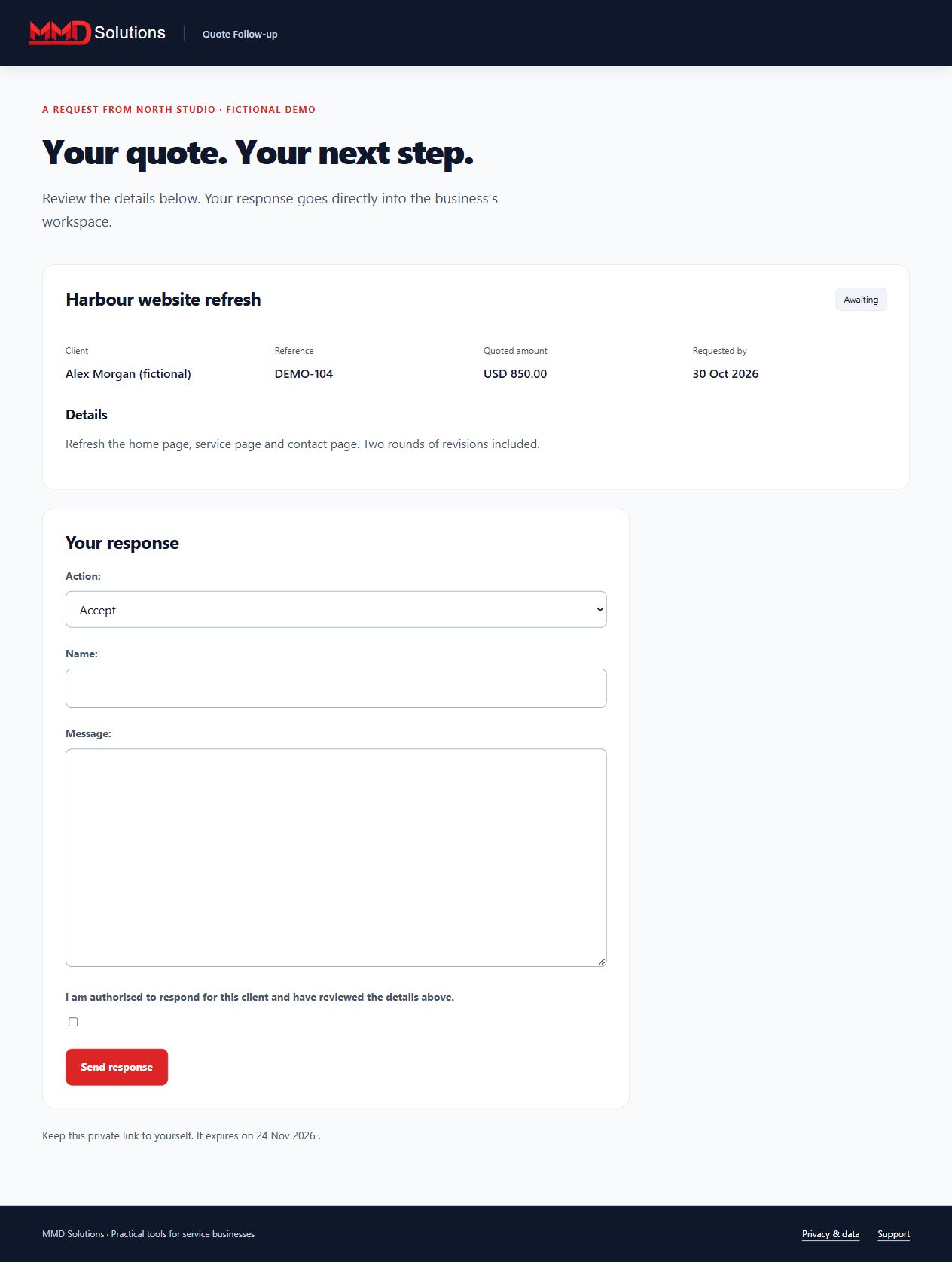
The client enters their name and accepts, declines, asks a question or stops reminders. Their response pauses the sequence.
-
Review the dated activity. Create a new record if the commercial terms change; export or archive the old one.
Workspace screenshot
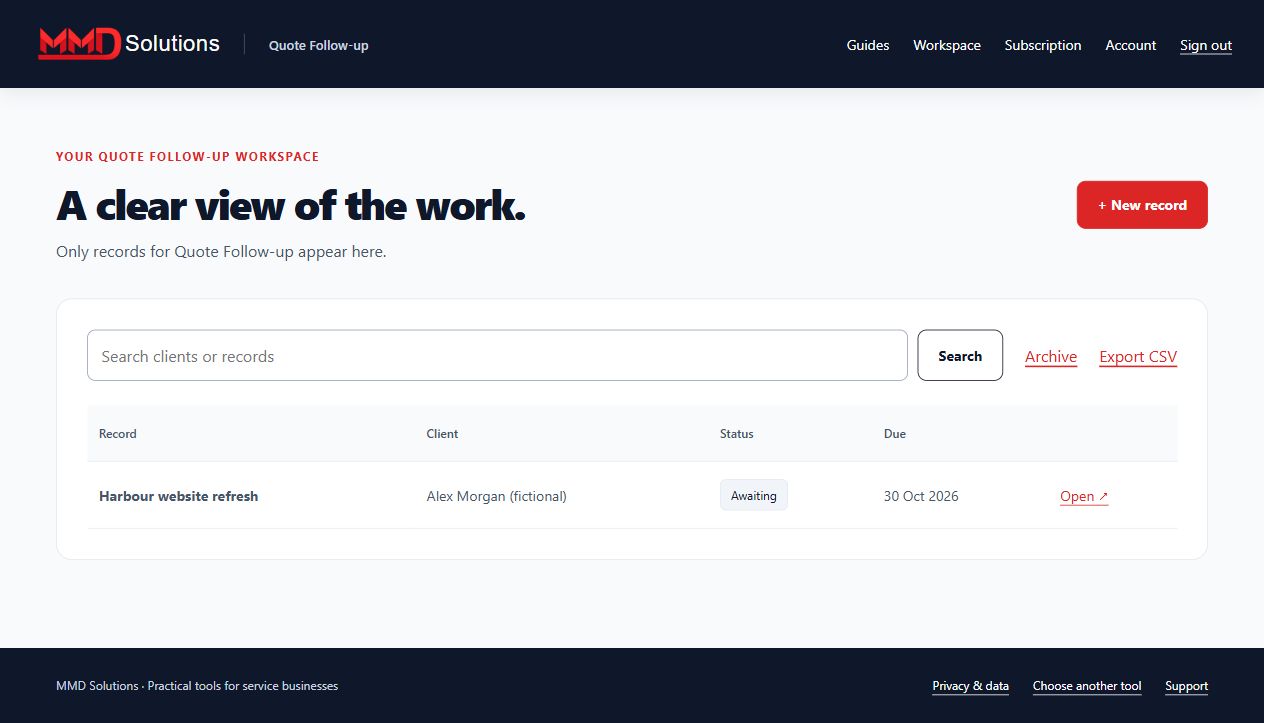
Fictional example. Each tool has its own records and subscription.
What your client sees
Limits and expectations
This tracks a quote; it does not generate a full proposal document, collect a deposit or read your inbox. Client names are entered by the recipient, not independently identity-verified. Up to 100 active records. Email and phone replies require manual pausing.
Account and subscription
- Create a Hub account and confirm your email.
- Subscribe to this specific tool using the same email at checkout.
- Enter the receipt's licence key on this tool's Subscription page.
Each tool is purchased separately. Manage renewals and cancellation with your subscription provider. Use your stored-data page to export, download attachments where applicable, or delete records, including after cancellation.
View this tool's subscription